The setup doc that turned into a VS Code pull request
Every team that adopts Copilot eventually asks the same question: how do we share our customizations across the org? The good news is that most of the answer already ships in the box. GitHub Copilot and VS Code come with plugin marketplaces built in, and two are configured by default, including the excellent awesome-copilot one. A marketplace packages agents, skills, and extensions into installable units a whole team can standardize on, instead of copying the same agent into a dozen repos by hand.
I wanted to actually understand that mechanism rather than just point customers at the docs, so I built my own: samueltauil/copilot-plugins, a working marketplace with 12 plugins that doubles as a reference implementation you can fork for your own org. Standing it up was straightforward. Getting a teammate to add it in VS Code is where I hit the one rough edge worth writing about.
The button exists, just not where you would look
To be fair, there is a UI for this. If you open Settings and search for chat.plugins.marketplaces, you get a proper list editor with an Add Item button, sitting under a section labeled Chat > Plugins: Marketplaces with an Experimental tag next to it.
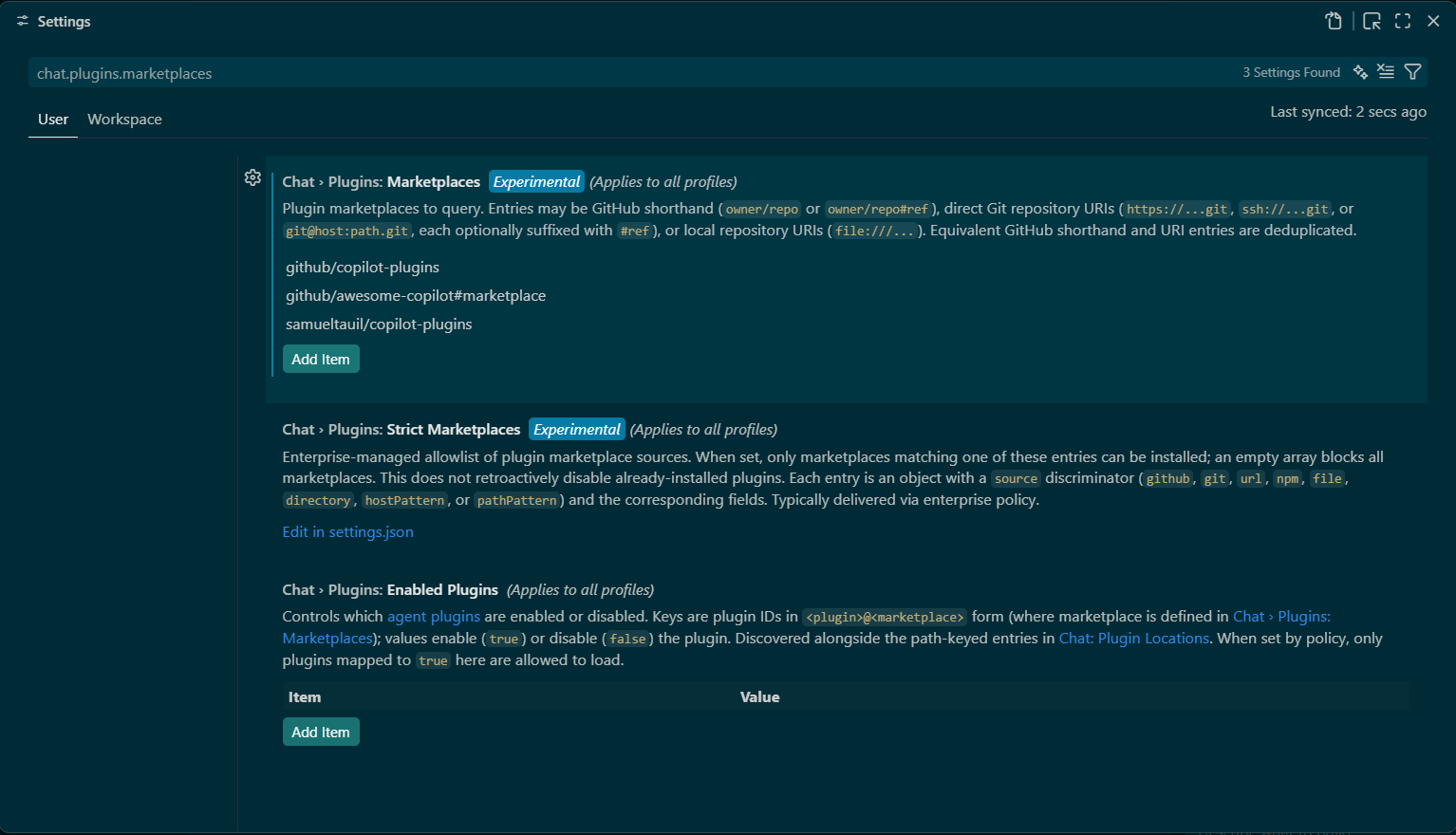
The list even documents the accepted formats: an owner/repo shorthand, a full git URL, an ssh:// or git@host:path reference, or a local file:// path, with equivalent GitHub and URI entries deduplicated for you. Or you skip the editor and hand-edit the array in settings.json directly.
{
  "chat.plugins.marketplaces": ["samueltauil/copilot-plugins"]
}
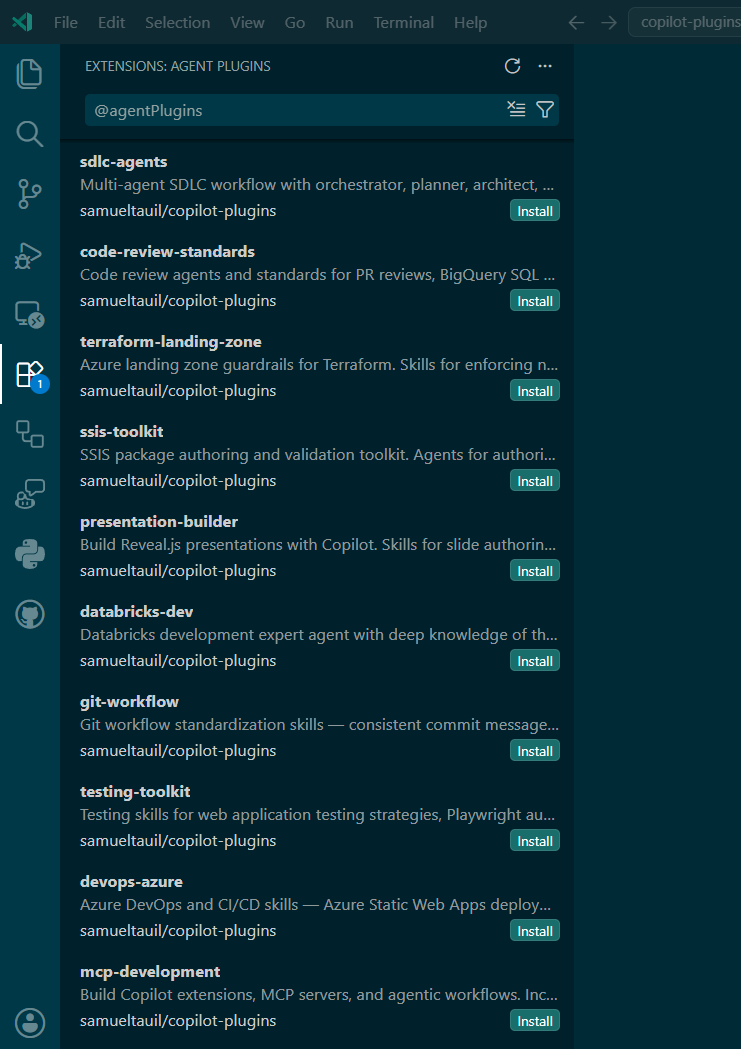
So the surface is there. The trouble is where it lives. It is buried behind a settings search, marked Experimental, and sitting nowhere near the places you actually browse plugins. Not the Agent Plugins view in the Extensions sidebar, not the Agents window plugin list. You discover plugins in one part of the UI and register the source of those plugins in a settings pane you have to know to go looking for. To find the button, you already have to know it exists.
Three screenshots for one string
I did the thing you are supposed to do. I wrote the doc anyway. Option 1, the settings UI. Option 2, settings.json directly. Option 3, a workspace-level .github/copilot/settings.json for per-project recommendations. By the time I was done I had three options and three screenshots to explain how to add a single string to an array. That was the tell. When a setup doc needs a screenshot to show where the button is hiding, the doc is quietly doing the product’s job.
What the pull request actually does
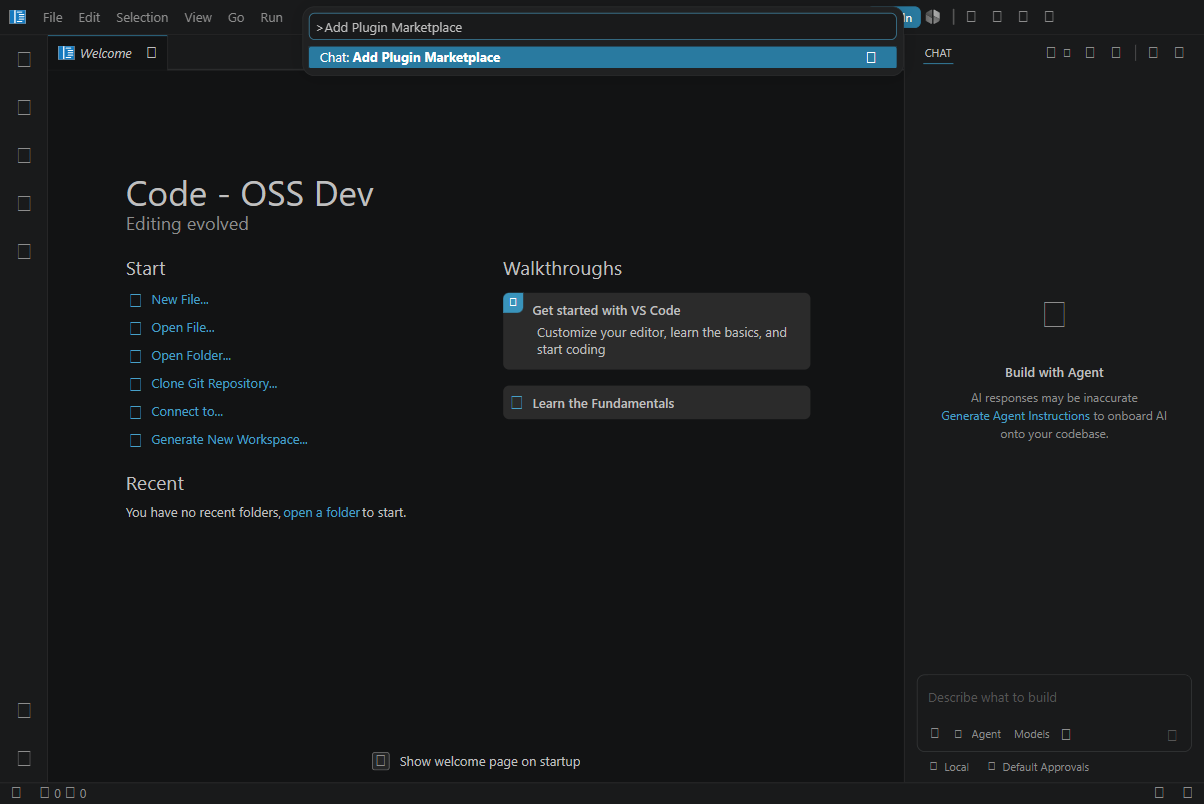
So I stopped writing docs and opened the VS Code repo instead. The pull request is microsoft/vscode#325640, and it adds one command: Chat: Add Plugin Marketplace. It opens an input box that takes the same formats the setting already accepts, validates the reference, skips duplicates, respects the org strictMarketplaces policy, and writes to chat.plugins.marketplaces at user scope. Same setting, same underlying model, same list editor still sitting in the settings pane for anyone who likes it there. The only thing that changes is that the action also shows up where you are already looking at plugins.
I wired it into the three places you would actually go looking for it:
- The Command Palette, as
Chat: Add Plugin Marketplace. - The Agent Plugins view title menu, where
Add Marketplace...now leads the manage flow and shows up as the empty state. - The
+menu on the Agents window plugin list.
The URI handler and the new command both call one shared addConfiguredMarketplace helper, so the add-and-dedupe logic that used to be copied in two spots now lives in one.
Adoption is where a standard lives or dies
Here is the part I keep coming back to. A marketplace only standardizes anything if people actually add it, and adoption dies on the on-ramp. If step one is know a setting name and find an Experimental pane through settings search, a chunk of your team never gets past it, and the agents you meant to share stay on your machine. The marketplace itself is solid: plugins install fine, the setting works, the model underneath is sound. The rough edge was only in how you turn it on, which happens to be the exact part that decides whether a shared standard spreads or stalls.
So I sent the fix upstream, my first contribution to VS Code. Whatever happens to it in review, the point holds: the value of a shared standard is capped by how easily the next person can opt into it.
What I would steal from this
The takeaway I actually care about is standardization. Copying a good agent into a dozen repos is not sharing, it is drift waiting to happen. A marketplace turns those agents, skills, and extensions into one installable source that stays consistent across the Copilot CLI, VS Code, and the cloud agent, and an enterprise can push a default set to every developer through a managed-settings.json without anyone hand-editing a config file. The repo is MIT-licensed and built to be forked, so you can point it at your own org and go.
If you want the maintenance side handled for you, I turned what I learned into a companion template: samueltauil/plugins-marketplace-template. Click Use this template, drop each plugin into plugins/, and CI does the tedious part. It validates every plugin.json against a schema grounded on the official GitHub plugin reference, regenerates the aggregated marketplace.json so the catalog never drifts from what is actually in the repo, and fails the PR if the two fall out of sync. There is a “Propose a new plugin” issue form and a PR checklist, so a teammate can contribute a plugin without memorizing the manifest format. The reference marketplace shows you what one looks like; the template gives your org a governed way to keep one alive.
The smaller lesson came free with it. A standard only spreads as far as its on-ramp reaches, so when the setup doc got awkward I fixed the on-ramp instead of writing around it. Same instinct either way: make the shared thing easy to adopt, or watch everyone quietly rebuild their own.