Skills Hub: A Curated Catalog for Discovering and Installing AI Coding Skills
GitHub Copilot skills are powerful. They let you teach Copilot how to handle specific development tasks by placing a SKILL.md file in your repository’s .github/skills/ directory. The problem is that skills are scattered across dozens of repositories with no central place to discover, compare, or install them. That is the gap Skills Hub fills.
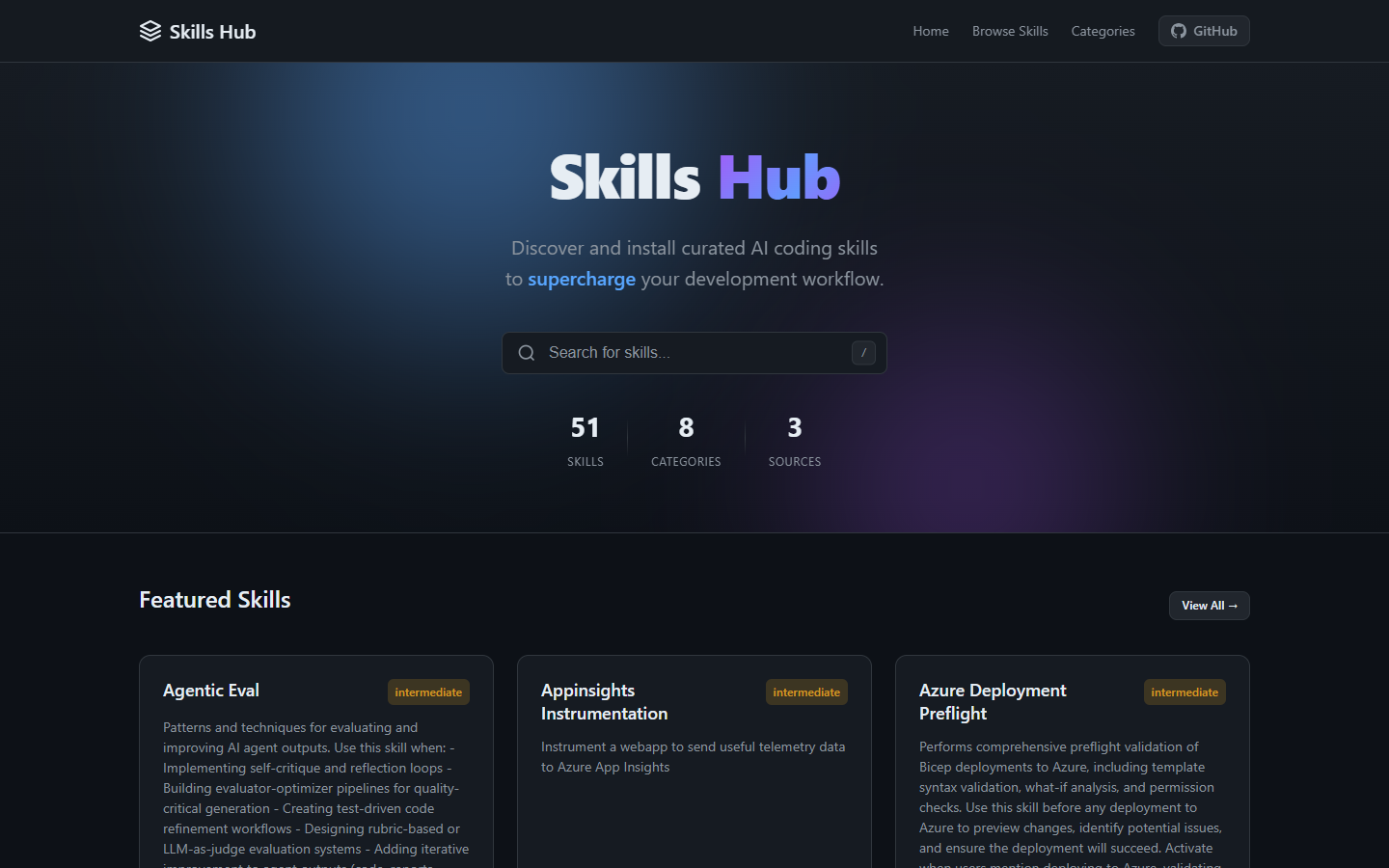
Live site: skillshub.space
Repository: github.com/samueltauil/skills-hub
The Problem
As the ecosystem of GitHub Copilot skills has grown, a few challenges have emerged:
- Skills are scattered across many repositories. GitHub’s own awesome-copilot, Anthropic’s skills, and the modelcontextprotocol/ext-apps repo all maintain their own collections. Community contributors add even more.
- There is no central discovery mechanism. Developers do not know what skills exist or how to find the right one for their workflow.
- Installation is inconsistent. Each repository has different structures, naming conventions, and setup steps. There is no standard way to grab a skill and drop it into a project.
- No standardized metadata. It is hard to compare skills or understand what they do before investing time in downloading and reading them.
What is Skills Hub?
Skills Hub is a curated, open-source catalog website for discovering, browsing, and installing GitHub Copilot agent skills. It aggregates skills from multiple sources into a single searchable hub with one-click download.
The site currently catalogs 51 skills from 3 source repositories, organized into 8 categories.
Key Features
Unified Skill Catalog
Skills from github/awesome-copilot, anthropics/skills, and modelcontextprotocol/ext-apps are aggregated into a single browsable interface. Only skills with redistributable licenses (MIT, Apache-2.0, BSD, ISC, CC-BY-4.0) are included. Each skill displays its description, category, source repository, file count, and all included files.
Category-Based Browsing
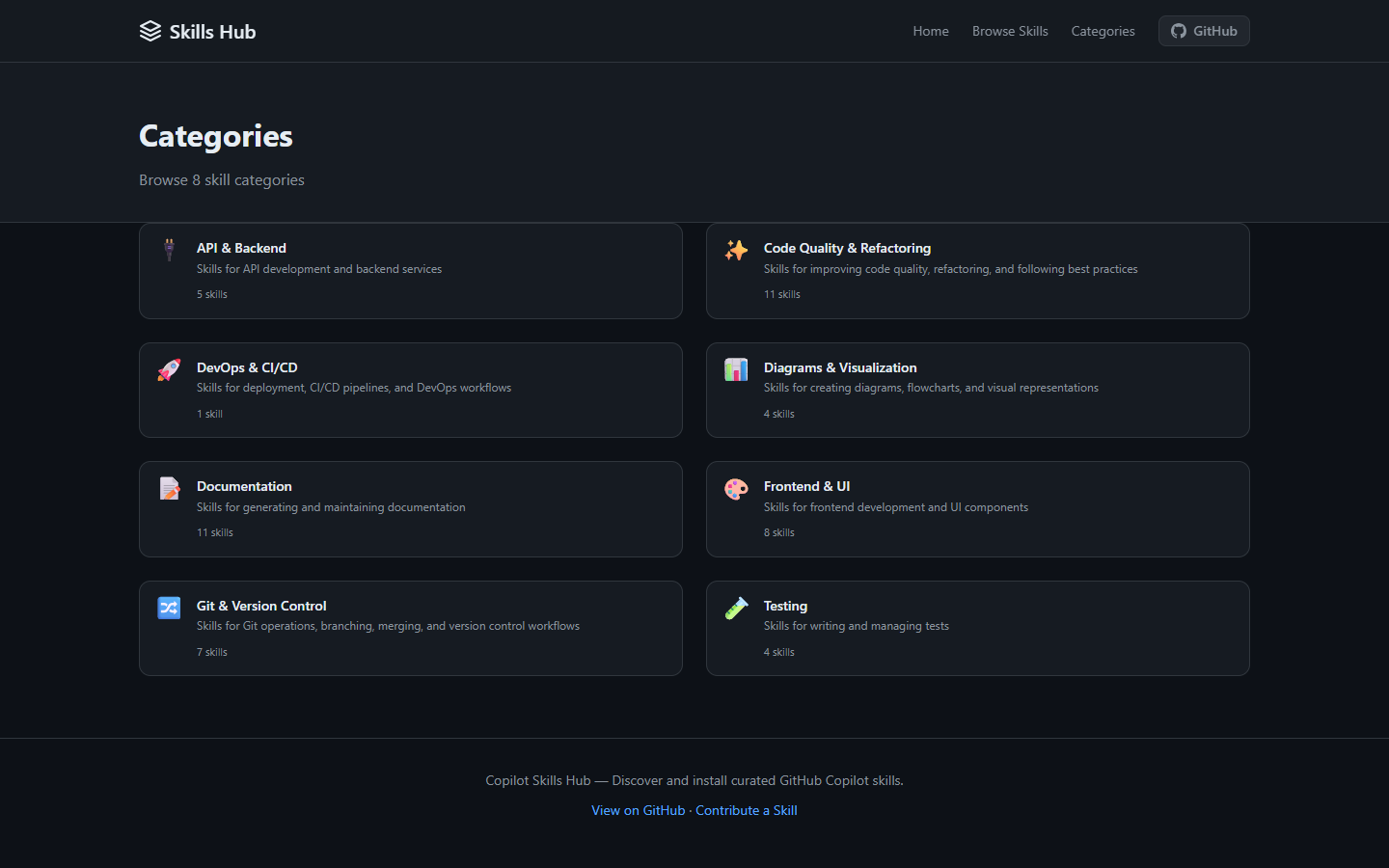
Skills are organized into categories that cover the full development lifecycle:
| Category | Description |
|---|---|
| Git & Version Control | Commits, branching, GitHub operations |
| Code Quality | Reviews, refactoring, linting |
| Documentation | READMEs, PRDs, technical writing |
| Diagrams | Mermaid, PlantUML, visualizations |
| Testing | Unit tests, E2E, test automation |
| API & Backend | REST APIs, GraphQL, databases |
| Frontend & UI | React, Vue, components, design |
| DevOps & CI/CD | Pipelines, Docker, Kubernetes |
| Security | Audits, vulnerabilities, secure coding |
| Data & Analytics | Data pipelines, SQL, analytics |
| Office Documents | Word, Excel, PowerPoint, PDF |
| MCP Development | Model Context Protocol development |
Each category has its own page with filtered listings, and the homepage features visual category cards for quick navigation.
Search and Filtering
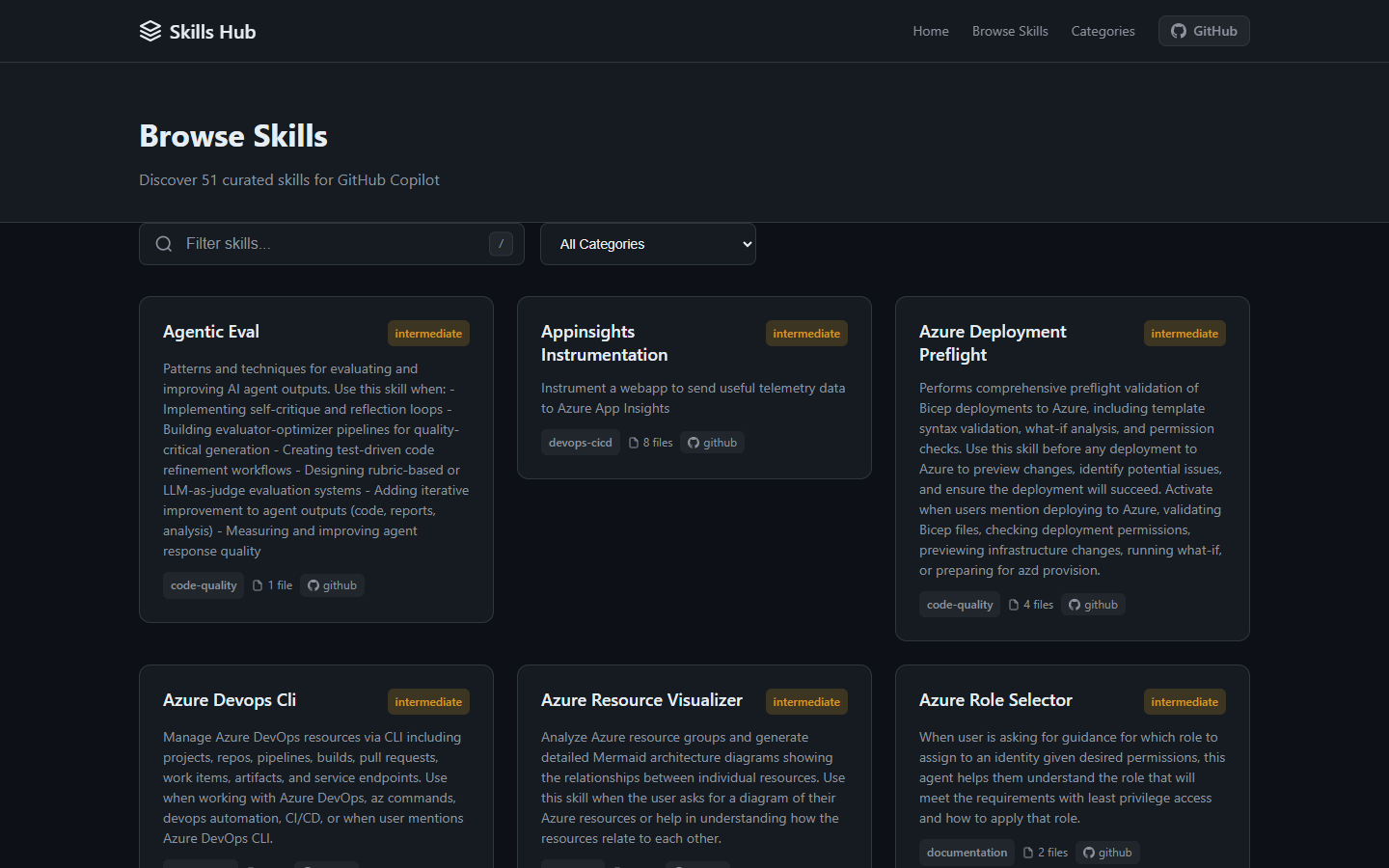
The site supports full-text search across skill names, descriptions, and tags. You can also filter by category on the skills listing page. A keyboard shortcut (/) focuses the search bar for quick access.
Skill Detail Pages
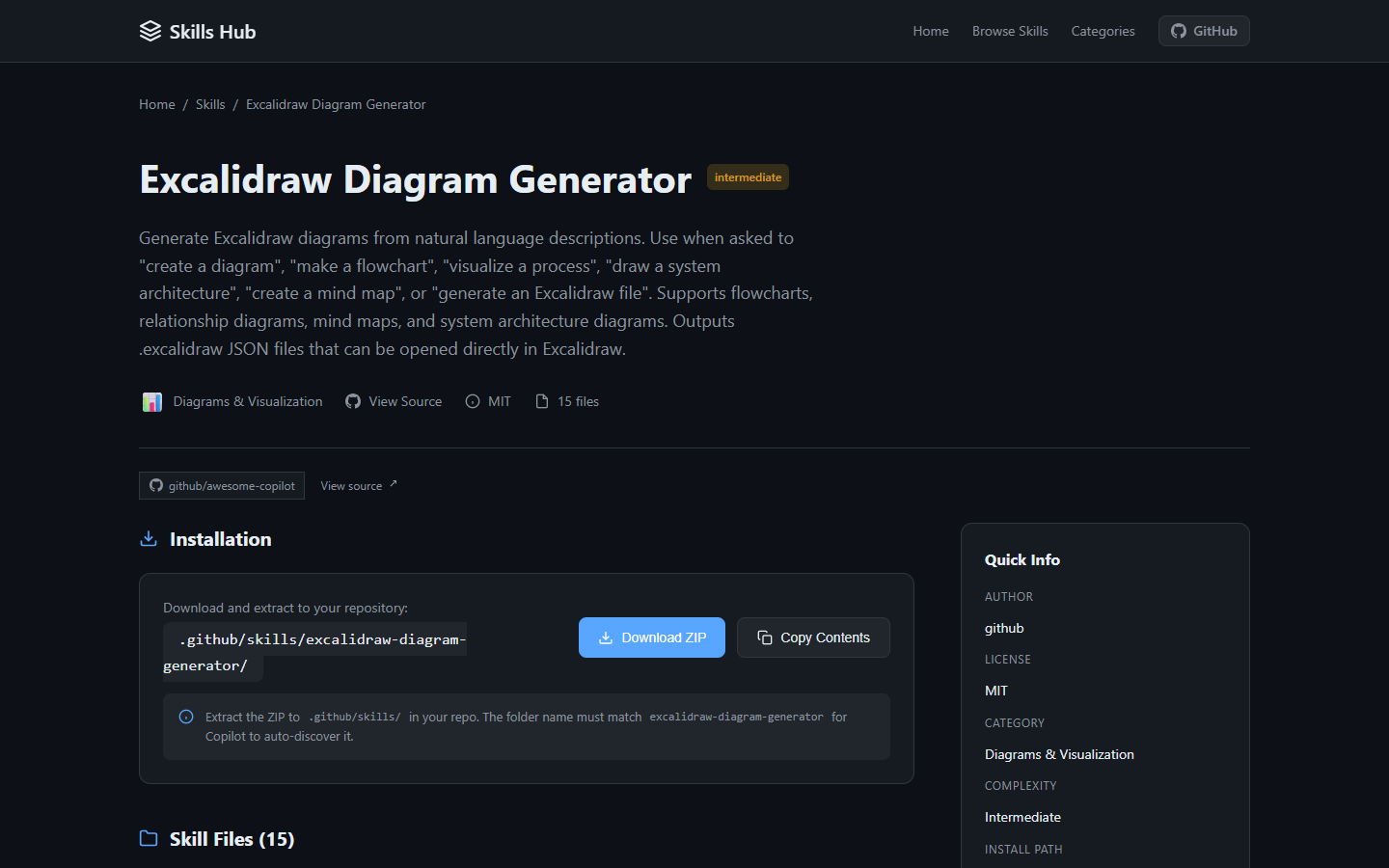
Every skill has a dedicated page that includes:
- Complete description parsed from the SKILL.md frontmatter
- File tree view showing every file included in the skill (SKILL.md, scripts, configs)
- Syntax-highlighted code viewer letting you expand any file and read its contents directly on the site
- Color-coded file types (Python in blue, JavaScript in yellow, TypeScript in blue, JSON in orange, YAML in purple, Markdown in green)
- Source attribution with a direct link to the original repository
One-Click Installation
Installing a skill should not require complex git commands, submodules, or sparse-checkout configurations. Skills Hub provides three installation options directly from each skill’s page:
- Download ZIP downloads the complete skill folder as a ZIP file, ready to extract into
.github/skills/ - Copy Contents copies all file contents to your clipboard
- Individual file copy lets you copy a single file’s content
No configuration is needed after installation. Copilot discovers skills automatically from the .github/skills/ directory based on their name and description frontmatter.
Automated Weekly Sync
A GitHub Actions workflow keeps the catalog up to date automatically:
- Runs every Sunday at 2:00 AM UTC
- Updates git submodules from upstream repositories
- Re-runs the aggregation script to detect new or changed skills
- Auto-commits and pushes updates
- Generates a job summary reporting total skills, new skills found (with names), and removed skills
This means the catalog stays current without any manual intervention.
Technical Architecture
Built with Astro
The site is built with Astro, a fast static site generator. All skill data is pre-rendered at build time from a skills.json file that the aggregation script produces. There is no database, no API, and no backend server. The entire site is hosted on GitHub Pages for free.
The Aggregation Pipeline
The core of the project is the aggregation script (scripts/aggregate-skills.js). It processes skills from three source repositories that are included as git submodules:
const SOURCES = [
  {
    id: 'awesome-copilot',
    name: 'github/awesome-copilot',
    path: path.join(SOURCES_DIR, 'awesome-copilot', 'skills'),
    repo: 'https://github.com/github/awesome-copilot',
    author: 'github',
    defaultLicense: 'MIT',
    licenseNotice: 'MIT License — Copyright GitHub, Inc.'
  },
  {
    id: 'anthropics-skills',
    name: 'anthropics/skills',
    path: path.join(SOURCES_DIR, 'anthropics-skills', 'skills'),
    repo: 'https://github.com/anthropics/skills',
    author: 'anthropic',
    defaultLicense: 'Apache-2.0',
    licenseNotice: 'Licensed under the Apache License, Version 2.0.'
  },
  {
    id: 'mcp-ext-apps',
    name: 'modelcontextprotocol/ext-apps',
    path: path.join(SOURCES_DIR, 'mcp-ext-apps', 'plugins', 'mcp-apps', 'skills'),
    repo: 'https://github.com/modelcontextprotocol/ext-apps',
    author: 'modelcontextprotocol',
    defaultLicense: 'MIT',
    licenseNotice: 'Licensed under Apache-2.0 (new contributions) / MIT (prior contributions).'
  }
];
For each skill folder, the script:
- Reads and parses the SKILL.md file (frontmatter + content)
- Recursively collects all files in the skill folder
- Detects the license from LICENSE files in the skill folder
- Skips skills with non-redistributable licenses (e.g., proprietary or “all rights reserved”)
- Auto-categorizes the skill based on keywords in its name and description
- Generates tags from the content
- Builds a structured skill object with all metadata and file contents
The output is a single skills.json file that Astro uses to generate all pages at build time.
Auto-Categorization
Skills are automatically categorized using keyword matching:
const CATEGORY_KEYWORDS = {
  'git-version-control': ['git', 'commit', 'branch', 'github', 'version control', 'gh-cli', 'contribution'],
  'code-quality': ['refactor', 'lint', 'quality', 'review', 'clean code', 'vscode-ext'],
  'documentation': ['doc', 'readme', 'prd', 'requirements', 'markdown', 'meeting', 'internal-comms'],
  'diagrams': ['diagram', 'excalidraw', 'plantuml', 'mermaid', 'visualization', 'circuit'],
  'testing': ['test', 'e2e', 'unit test', 'qa', 'playwright', 'chrome-devtools', 'webapp-testing'],
  'api-backend': ['api', 'rest', 'graphql', 'backend', 'sdk', 'nuget'],
  'frontend-ui': ['frontend', 'ui', 'react', 'css', 'design', 'canvas', 'image', 'brand', 'theme'],
  'devops-cicd': ['deploy', 'ci', 'cd', 'docker', 'kubernetes', 'terraform', 'azure', 'appinsights'],
  'security': ['security', 'auth', 'rbac', 'role', 'permission'],
  'data-analytics': ['data', 'analytics', 'sql', 'powerbi', 'snowflake'],
  'office-documents': ['docx', 'xlsx', 'pptx', 'pdf', 'word', 'excel', 'powerpoint'],
  'mcp-development': ['mcp', 'model context protocol', 'skill-creator', 'make-skill']
};
Project Structure
skills-hub/
  .github/
    workflows/        # CI/CD for deployment and validation
    ISSUE_TEMPLATE/   # Issue templates
    PULL_REQUEST_TEMPLATE/
  site/               # Astro static site
    src/
      pages/          # Site pages (index, skills, categories)
      components/     # UI components (SkillCard, CategoryCard, SearchBar)
      layouts/        # Page layouts
      data/           # Generated skills.json
    public/           # Static assets
  scripts/            # Aggregation script
  skills/
    schema.json       # Skill metadata schema
    registry.json     # Skills catalog
  sources/            # Git submodules (upstream repos)
  CONTRIBUTING.md     # How to add skills
Design
The site uses a dark theme with a GitHub-inspired color palette. The header features a glassmorphism effect with backdrop blur. The hero section includes animated gradient glow orbs and a shimmer text effect. Skill cards have hover effects with lift and shadow transitions. The layout is fully responsive across mobile, tablet, and desktop, with accessibility support including prefers-reduced-motion, focus-visible outlines, and semantic HTML.
Community Contributions
Skills Hub is designed for community participation. The repository includes:
- A detailed CONTRIBUTING.md with step-by-step instructions for adding skills
- A JSON schema for skill entries in the registry
- PR templates for both general contributions and skill-specific submissions
- Issue templates for bug reports and category requests
- CI validation on pull requests that checks JSON format, required fields, duplicate detection, and URL validity
Adding a new skill is straightforward:
- Fork the repository
- Add your skill entry to
skills/registry.json - Submit a Pull Request
- GitHub Actions validates the submission automatically
Who Benefits
| Audience | Benefit |
|---|---|
| Developers | Discover skills they did not know existed and install them in seconds |
| Teams | Standardize which skills the team uses across projects |
| Skill authors | Get visibility for their skills through a central catalog |
| Open source community | Easy contribution process to grow the catalog |
Running Locally
If you want to run the site locally or contribute:
# Clone the repository
git clone https://github.com/samueltauil/skills-hub.git
cd skills-hub

# Install dependencies and start the dev server
cd site
pnpm install
pnpm dev
Node.js 18+ is required.
What is Next
There are several features planned for future releases:
- CLI installer (
npx skills-hub install <name>) for terminal-based workflows - Skill ratings and usage stats to surface the most popular skills
- More source repositories including community submissions
- Skill compatibility badges for VS Code, JetBrains, and other editors
- Custom domain (skills-hub.dev)
Resources
Skills Hub is open source under the MIT License. Contributions are welcome. If you have a skill you want others to discover, submit a pull request to the repository.